Using the Help Centre
The Help Centre is your direct link from the Planir app to the full knowledge base, where every feature, page, and workflow is documented. Use it any time you need a quick how-to, a refresher on a specific tool, or a step-by-step walkthrough you can keep open while you work.
Why this matters
Planir covers a wide range of features, from connecting accounting data and configuring KPIs to building dashboards, forecasts, and AI-powered insights. The Help Centre puts every guide and reference one click away from anywhere in the app, so you never have to leave the platform to find an answer.
When to use this
- When you are exploring a feature for the first time and want a step-by-step walkthrough
- When you cannot remember exactly how something is configured (for example, threshold rules or projection settings)
- When onboarding a new team member who needs a self-serve resource
- When you hit a question and want an answer without raising a support ticket
Before You Start
Make sure you have:
- A Planir login (the Help Centre is reachable from the sidebar of any logged-in workspace)
- A modern web browser (the knowledge base opens as a separate browser tab)
Step 1. Open the Help Centre
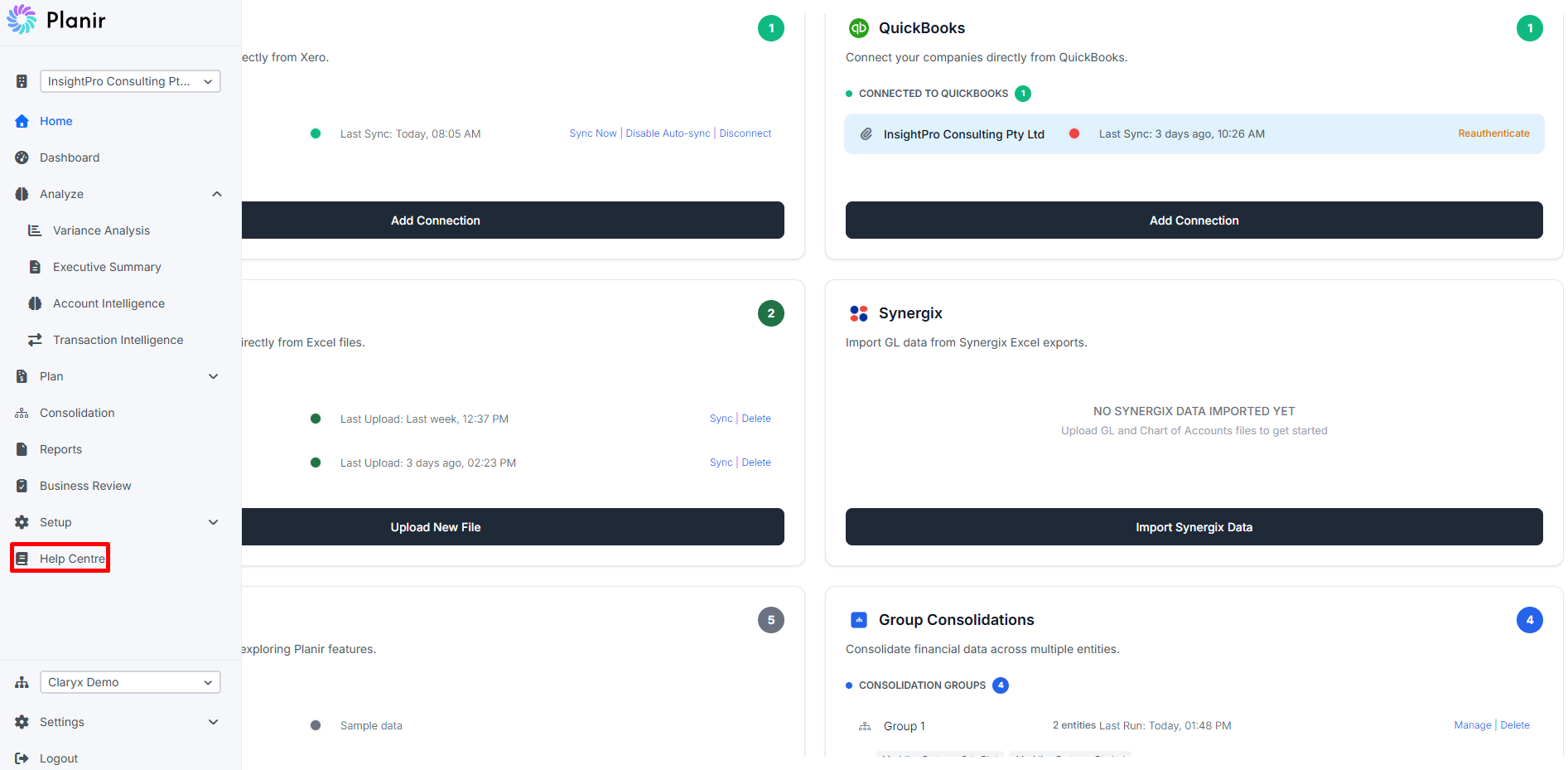
From the sidebar, click Help Centre. The Planir knowledge base opens in a new browser tab at https://knowledgebase.planir.app.
[Screenshot 1: Sidebar with Help Centre highlighted]
You can keep the knowledge base tab open alongside Planir, so you can read an article and follow it through the app at the same time.
Step 2. Browse by Category
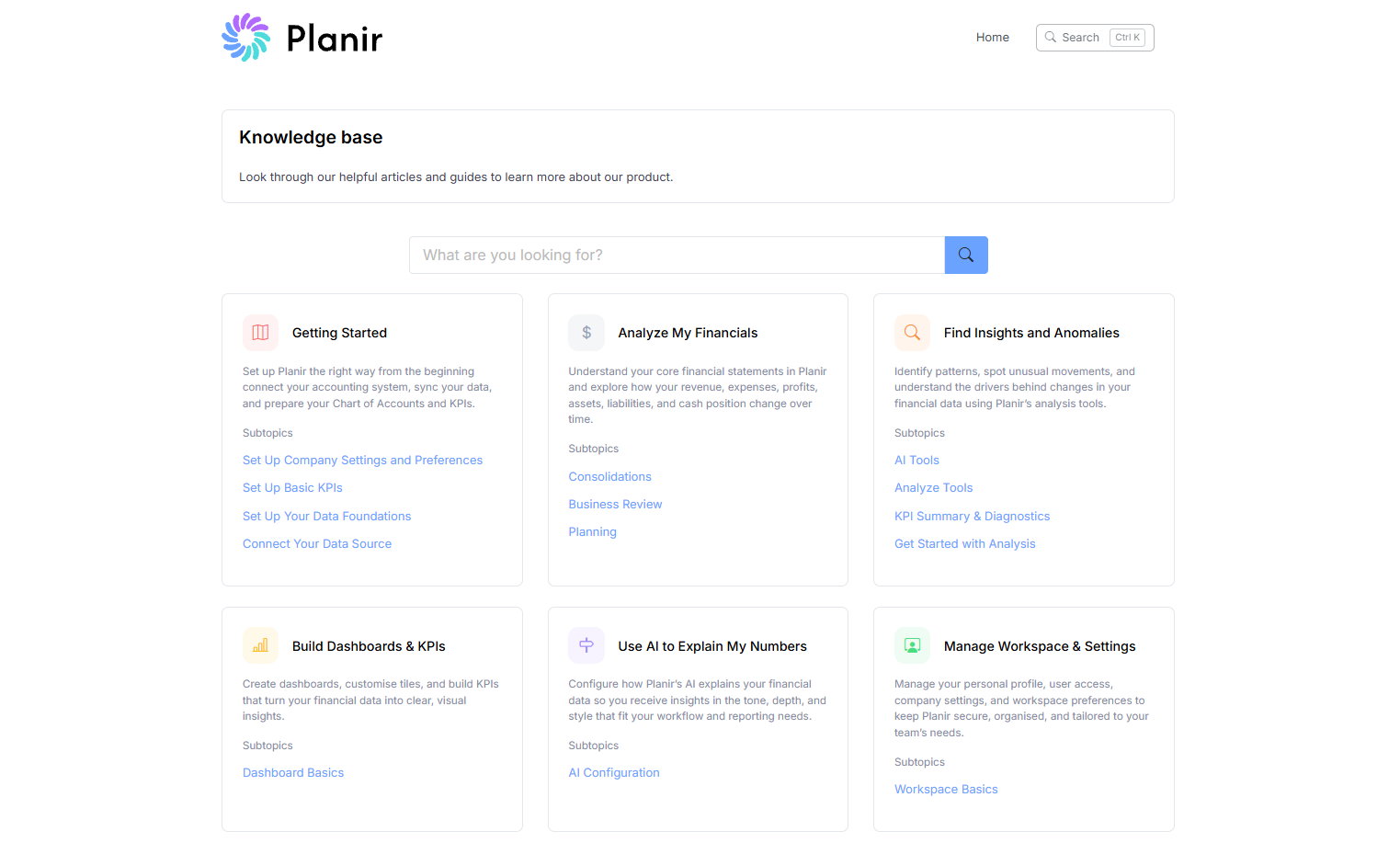
The knowledge base home page is organized into six main categories, each covering a different part of the Planir workflow:
- Getting Started: connect your data source, set up your data foundations, basic KPIs, and company preferences
- Analyze My Financials: planning, forecasting, and reading your financial statements
- Find Insights and Anomalies: AI-powered analysis tools and KPI diagnostics
- Build Dashboards & KPIs: creating dashboards and configuring tiles
- Use AI to Explain My Numbers: configuring AI summaries and preferences
- Manage Workspace & Settings: personal profile, user access, and workspace settings
Each category card shows a short description and a list of Subtopics beneath it. Click a subtopic to see every article under it, then click an article title to open it.
Step 3. Search for a Specific Article
If you know what you are looking for, the search bar is the fastest way to get there.
- Click the search bar at the top of the knowledge base (or use the Ctrl + K shortcut).
- Type a keyword or phrase (for example,
dimensions,manual journal,forecast). - Click a result to open the article.
Search looks at article titles and content, so even if you do not remember the exact name of an article, a related keyword will usually find it.