How to Use AI Preferences
Adjust how Planir’s AI analyses and explains your financial data by customizing tone, depth, and preferred insight style. This lets you tailor AI outputs to match the level of detail you need for internal reviews, board presentations, or quick summaries.
Why this matters
AI explanations are most effective when they match your communication style and analysis needs. By setting your preferences, you ensure that every AI summary and insight is consistent with how you interpret and present financial information.
When to use this
- When you want AI summaries to be more concise or more detailed
- When preparing reports for different audiences
- When aligning the AI’s tone with your management or stakeholder expectations
- When you want predictable, consistent AI-generated insights
How this works
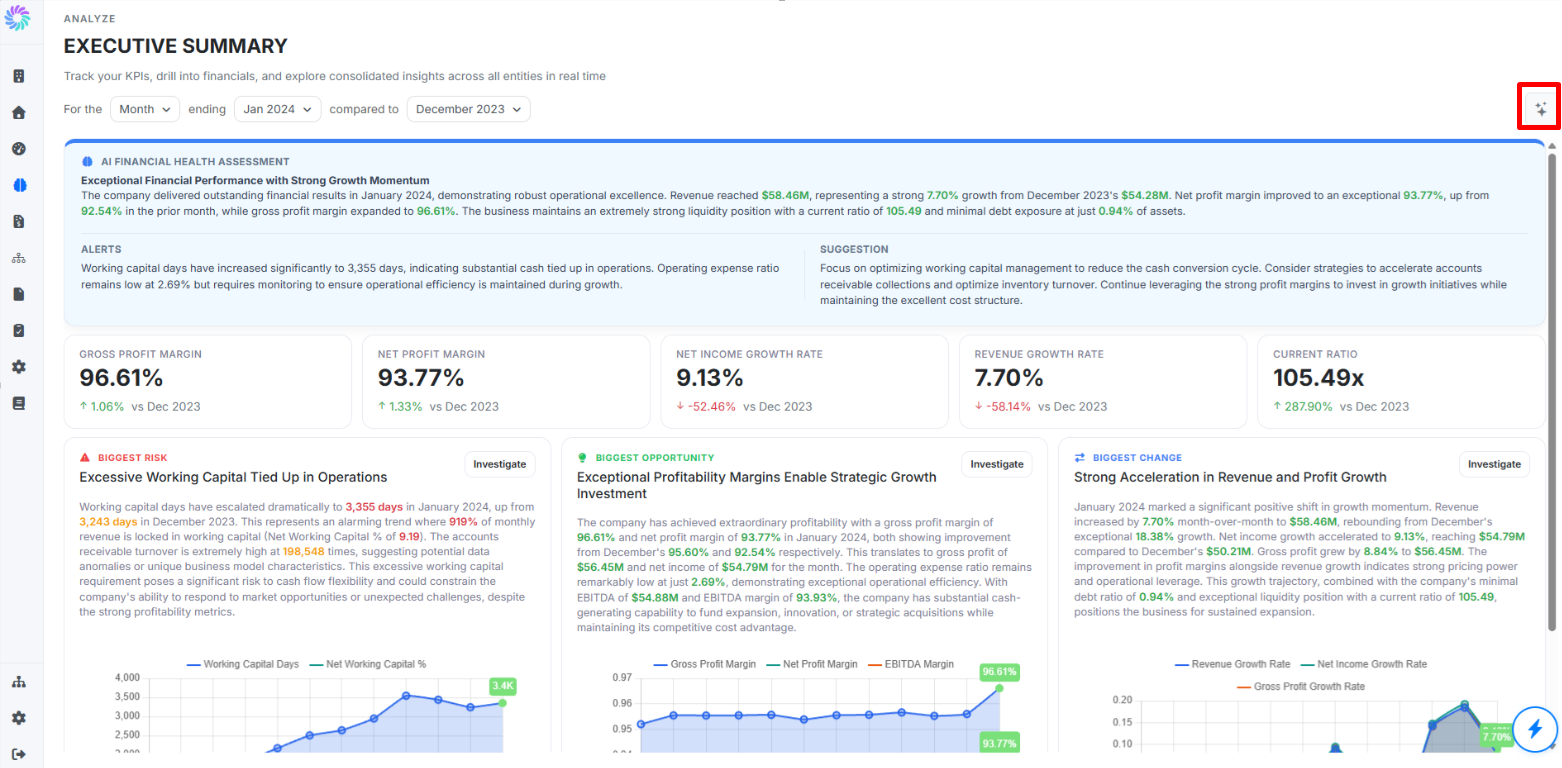
Step 1. Go to Executive Summary page
- Generate AI Executive Summary on the top right corner
- Fill in the field with your preference such as “Provide a comprehensive executive summary of the financial performance”
- Click Save Preferences
- Future AI summaries and dashboards will automatically follow these settings